How to Buy
How to buy on WHITEPLAN
1. You can access the Collection by:
- On the homepage you can click on the image of the Collection you want to visit

- On your phone, click the Collections item in the toolbar at the bottom of the screen

- On a computer, hover your mouse pointer over the left side of the screen, then you will see the Collections section and you can click to access it.

2. In each Collection, there will be many Product Sets with many products that have been delicately chosen by WHITEPLAN.
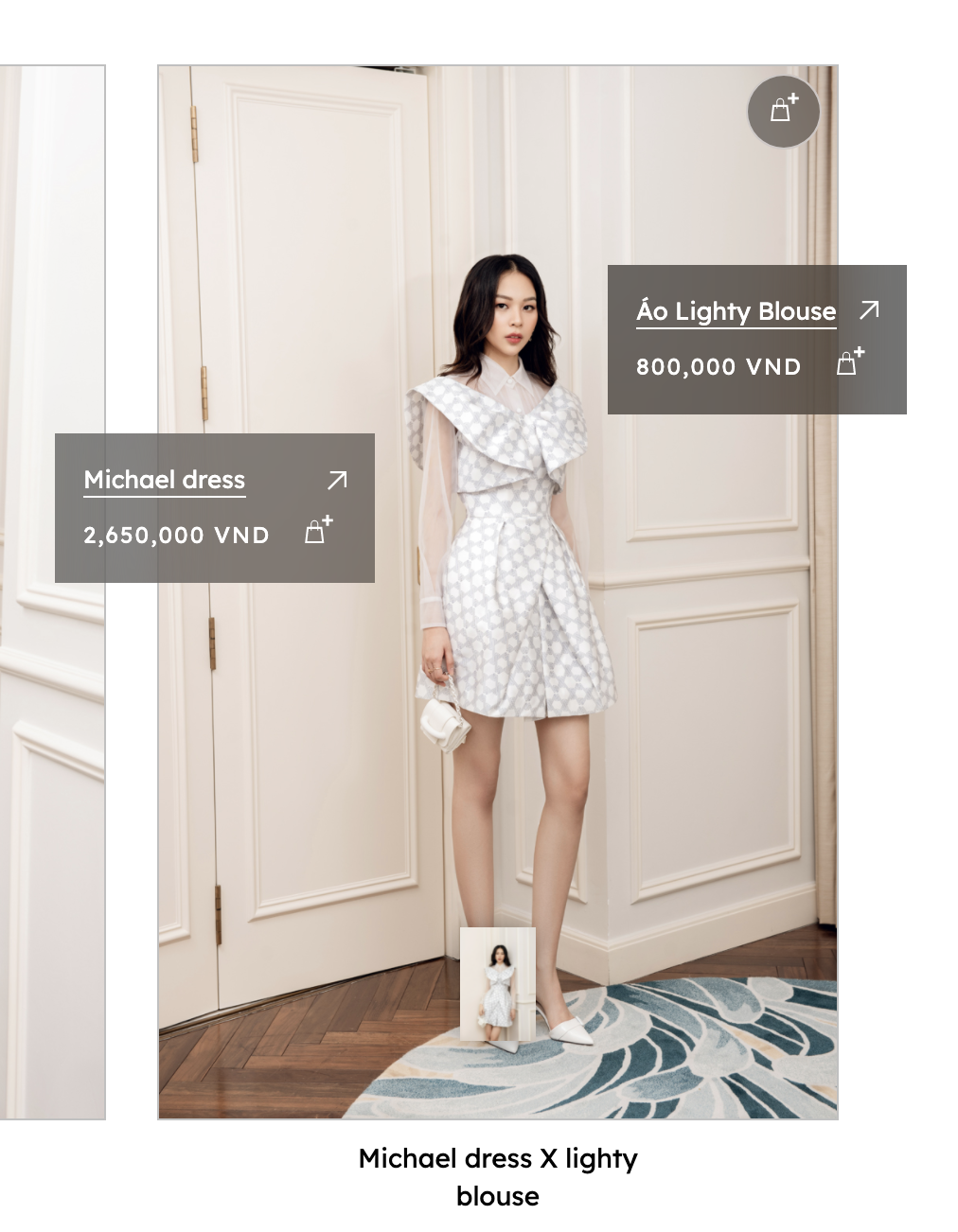
3. Clicking on each Product Set image will reveal symbolic cards for each product in the set. (You can see more pictures of the set by clicking on the thumbnails below)

4. You can purchase by:
- Buy the entire set by clicking on the circular cart icon in the upper right corner of the set photo

- Buy each product by clicking the cart symbol on each card

(You can click the arrow of each card to see more product details)
5. Complete the payment by clicking on the cart icon on the top right corner of the screen and press Checkout

6. You enter the required information and choose a payment method.
Thank you very much for purchasing at WHITEPLAN
How to buy on WHITEPLAN
1. You can access the Collection by:
- On the homepage you can click on the image of the Collection you want to visit
- On your phone, click the Collections item in the toolbar at the bottom of the screen
- On a computer, hover your mouse pointer over the left side of the screen, then you will see the Collections section and you can click to access it.
2. In each Collection, there will be many Product Sets with many products that have been delicately chosen by WHITEPLAN.
3. Clicking on each Product Set image will reveal symbolic cards for each product in the set. (You can see more pictures of the set by clicking on the thumbnails below)
4. You can purchase by:
- Buy the entire set by clicking on the circular cart icon in the upper right corner of the set photo
- Buy each product by clicking the cart symbol on each card
(You can click the arrow of each card to see more product details)
5. Complete the payment by clicking on the cart icon on the top right corner of the screen and press Checkout
6. You enter the required information and choose a payment method.
Thank you very much for purchasing at WHITEPLAN